
Notifications
Clear all

Hey All,
This past weekend I put a Retro Innovations uIEC/SD inside my C64 Ultimate and figured I’d share the process. It’s a clean, no-solder job that gives you a proper SD2IEC device on the IEC bus without hanging anything off the back.
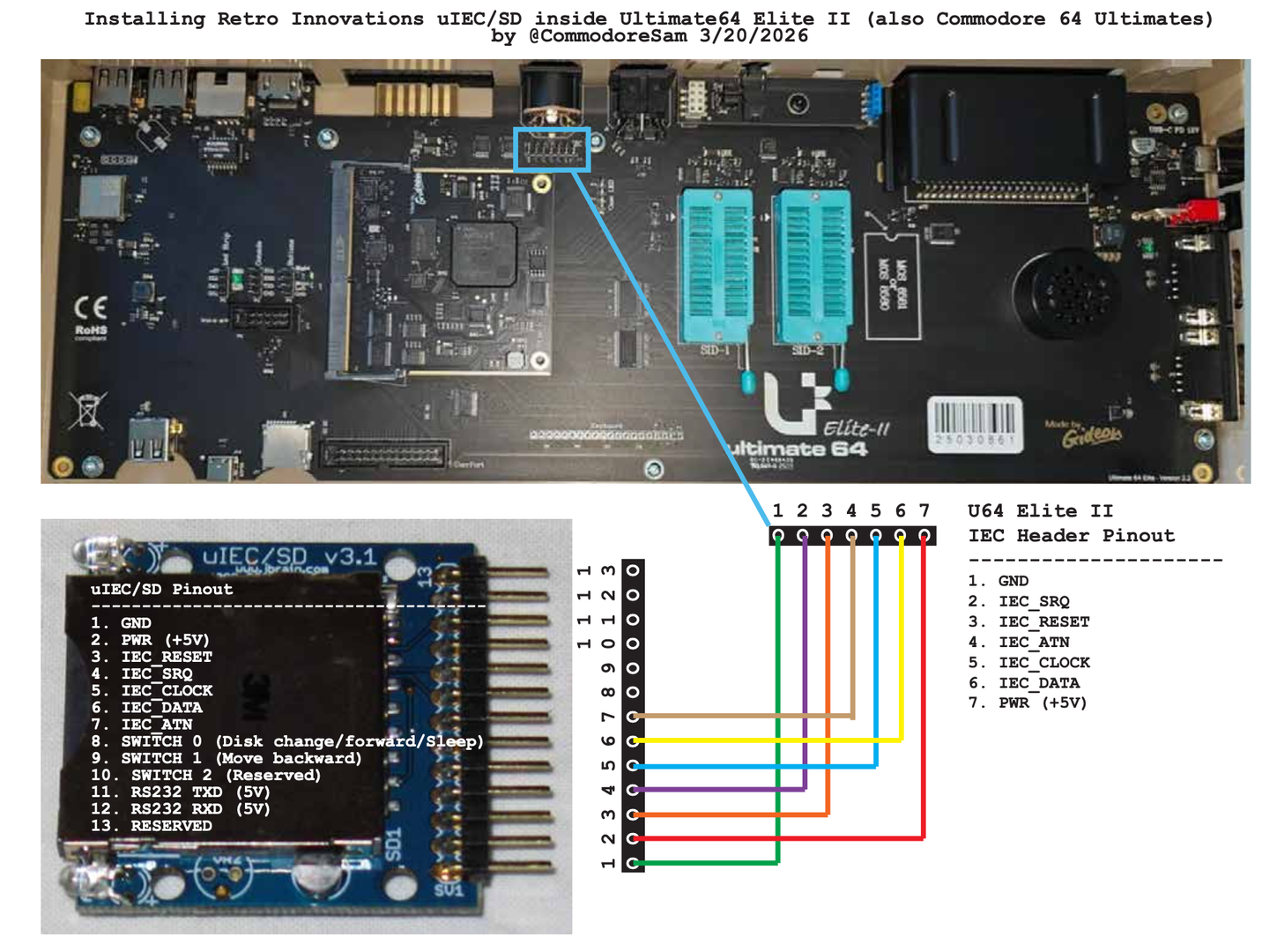
Huge thanks to CommodoreSam for the clear wiring diagram and pinouts — that’s what I followed:
https://github.com/CommodoreSam/Commodore-U64-Internal-uIEC-Installation
(Look at the “Wiring and Pinouts.pdf” in his repo.)
What you need
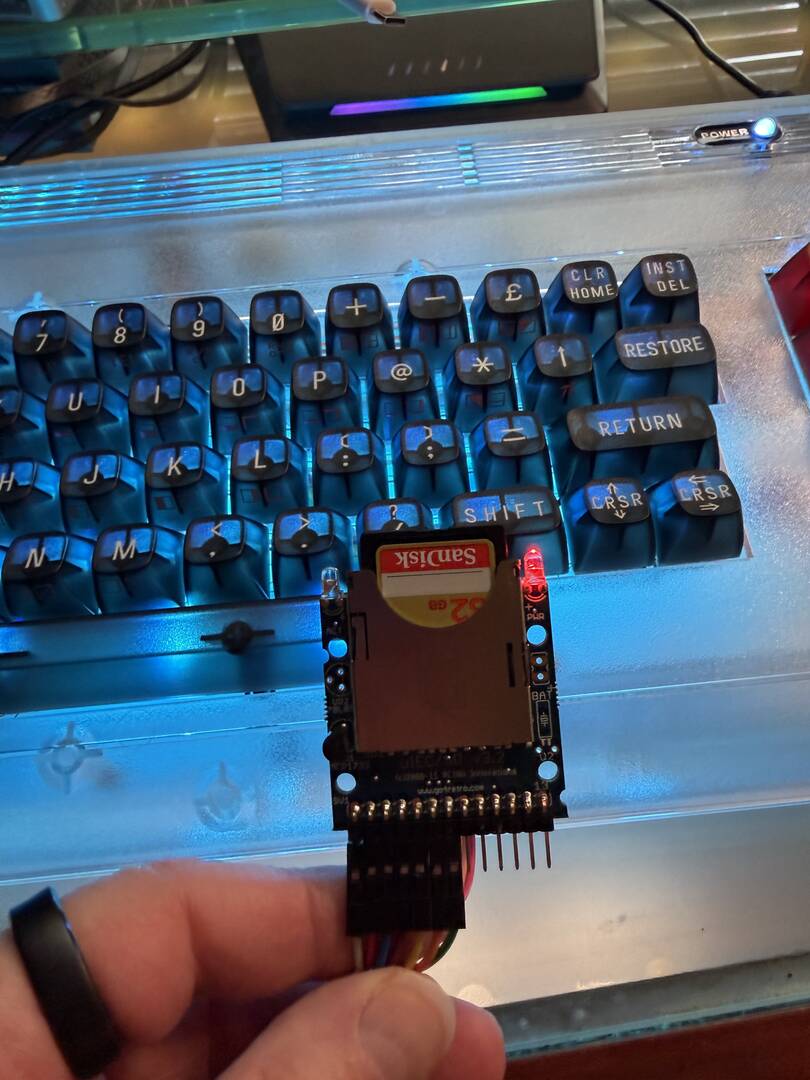
- Retro Innovations uIEC/SD (the one with the accessible pin header — no soldering required and no daughter board needed)
- 7 female-to-female Dupont jumper wires
- Optional but highly recommended: JiffyDOS in the Ultimate (makes the whole experience much nicer)
Pinouts (from CommodoreSam’s diagram)
uIEC/SD header:
- GND
- PWR (+5V)
- IEC_RESET
- IEC_SRQ
- IEC_CLOCK
- IEC_DATA
- IEC_ATN
Ultimate 64 / C64 Ultimate internal IEC header (the 7-pin header right behind the external IEC port):
- GND
- IEC_SRQ
- IEC_RESET
- IEC_ATN
- IEC_CLOCK
- IEC_DATA
- PWR (+5V)
It’s a straight 1-to-1 mapping on those seven pins. That’s all you need — power + the full IEC bus.
Step-by-step
- Power everything down and open the case (three screws on the bottom of the C64 Ultimate).
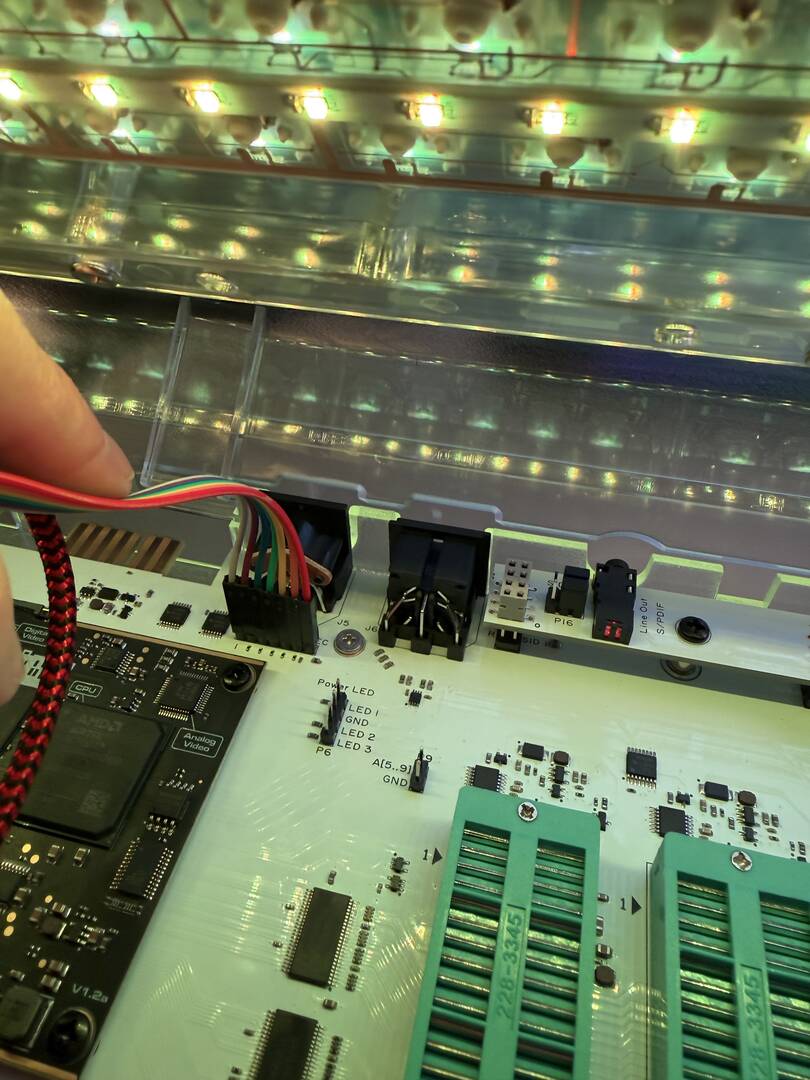
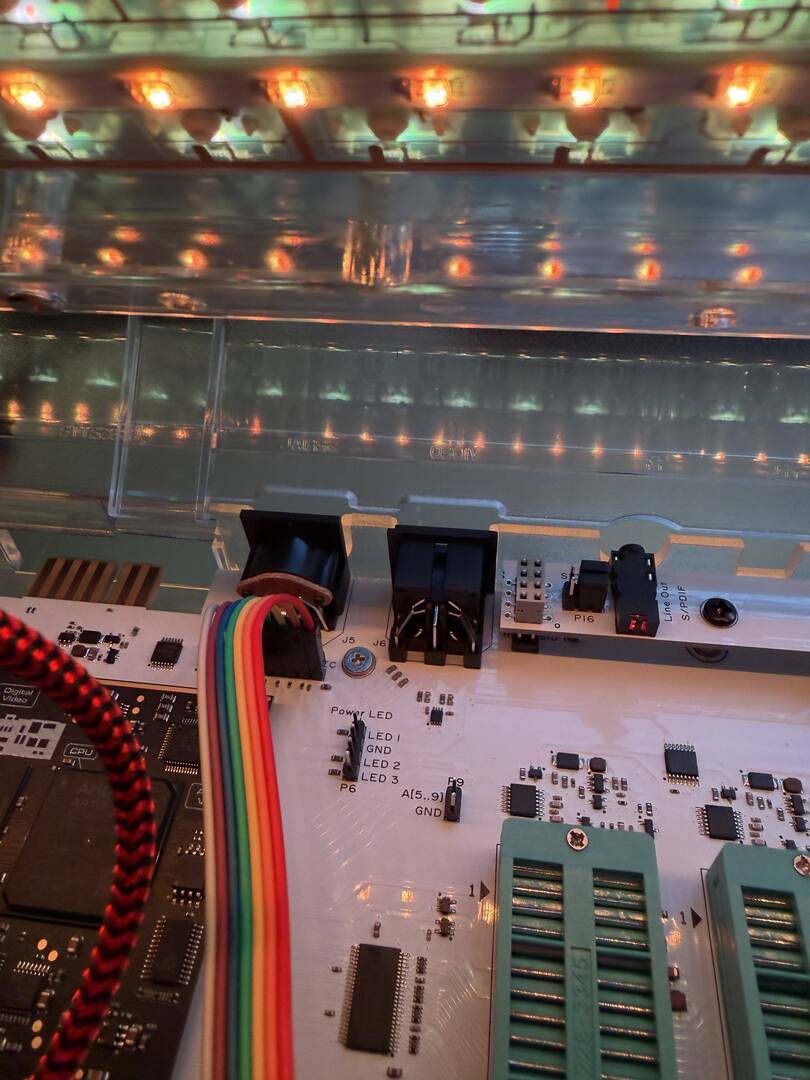
- Locate the 7-pin header on the mainboard, sitting right behind the external IEC connector. It’s easy to spot once the top is off.
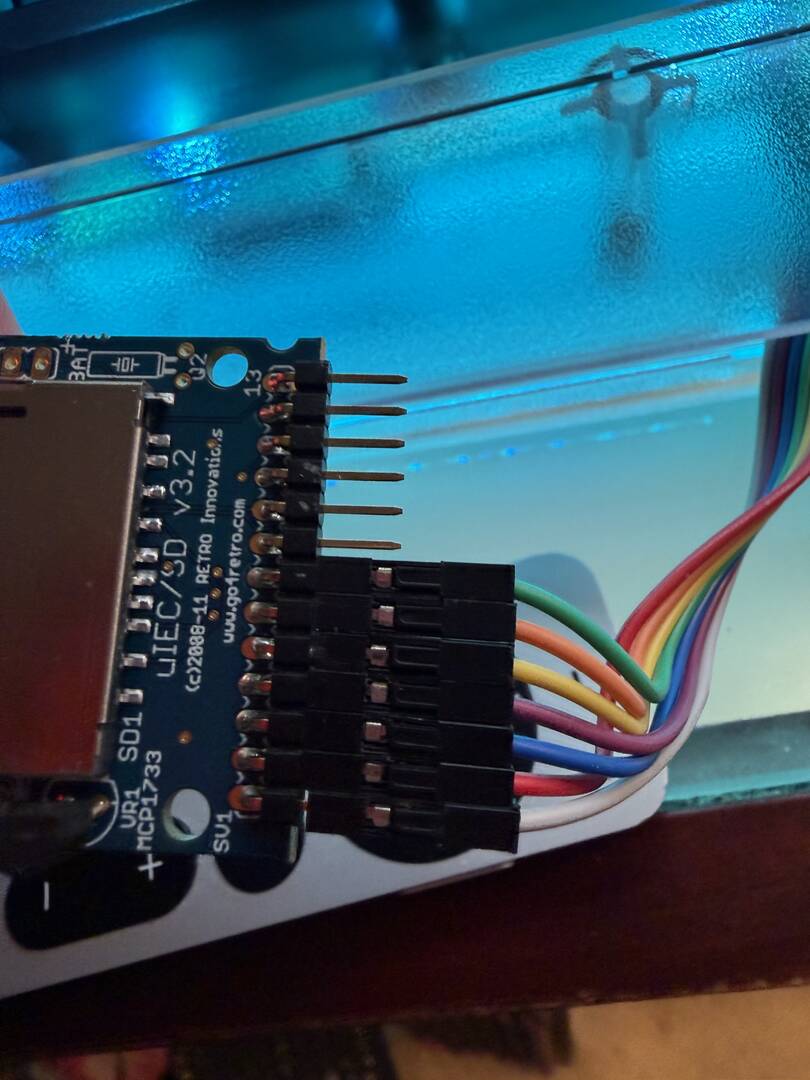
- Grab your seven female-to-female Dupont wires. I used a pre-bundled set and didn’t bother separating the individual wires as i wanted essentially a ribbon cable instead of a bunch of lose wires, so the wiring color scheme in my photos doesn’t match the pictures in CommodoreSam's diagram. Don’t let that throw you — just follow the pin numbers, not my wire colors.
- Plug one end of the Dupont wires onto the uIEC/SD header (pins 1–7).
- Plug the other ends onto the Ultimate’s internal IEC header, matching the pin numbers above. Double-check GND and +5V before you power anything on.
- Find a convenient spot inside the case to tuck the uIEC/SD. There’s plenty of room; I just let it sit flat so the microSD slot is still accessible if I need to swap cards later. But beware the uIEC/SD is a bare PCB so don't let it contact anything metal inside the U64 case like components on the motherboard. I'm going to 3D print an enclosure but in the meantime I am using an antistatic bag to isolate it. Just don't let it float around loose in your case eventually it won't end well.
- Close the case, power up, and you should see the uIEC come online as a device at whatever ID you've set.
That’s it. No soldering, no case mods, no external cables. The Ultimate still has its own SoftIEC and USB/SD mounting for images, but now you also have a real SD2IEC on the bus that plays nice with Image, C64 OS, GEOS, Wheels, CMD-style tools, etc.
The whole job took maybe 15 minutes while I was on a video call; once I had the diagram open.
-Sutehk
Topic starter
Posted : 04/08/2026 1:09 pm
Hans reacted

SoftIEC has advanced quite a bit recently. One of the Ultimate64/2 FW developers is actively working on improving it, with C64OS compatibility being one of the goals.
SoftIEC can now mount directories as partitions, as well as disk images such as D64, D71 and DNP.
I recently tested Image BBS 3.0 on my C64 + Ultimate II+. I took the eight DNP partitions from my DHD image and mounted them as separate SoftIEC partitions. With hyperspeedkernel394.rom and the Command Interface enabled, Image BBS boots successfully and works.
It also loads noticeably faster this way compared to using a physical IEC device.
This post was modified 1 month ago 2 times by radius75
Posted : 24/09/2026 1:56 am

@radius75 How is with REL files and copying them?
Commodore 64 BBS -=[ commodore64bbs.com:6464 ]=- ....1st Commodore 64 Ultimate to run Image BBS 3.0!
The Kats Alley BBS -=[ tka.8bitboyz.com:6400 ]=- ....Running Image 3.0 for the C64
8-Bit Boyz BBS -=[ bbs.8bitboyz.com:6502 ]=- ....Running Mystic on Windows
Best Retro Web Resource -=[ www.8bitboyz.com ]=- ....Running a whole lotta PHP, Javascript, SQL and so much more!
Posted : 24/09/2026 9:40 am
@radius75 How is with REL files and copying them?
https://github.com/GideonZ/1541ultimate/issues/917#issuecomment-5831271500
Posted : 25/09/2026 10:15 am
Posted : 25/09/2026 11:04 am