
Notifications
Clear all

I've used a lot of storage over the years pi1541s, real floppy drives, RAMLinks, CMD HD hardware and reproductions, JiffyDOS, and the built-in virtual floppies of the ultimates. I originally started with a generic SD2IEC clone for quick D64 loading, but upgrading to a Retro Innovations uIEC/SD changed the game. It's not just "another SD card adapter" — it seriously mirrors CMD HD functionality in ways that make it feel like a modern replacement for those classic (and expensive/maintenance-heavy) hard drives. Best of all it's not a flip-phone!
1. More Firmware Headroom = Future-Proofing
Standard SD2IEC clones are often stuck on smaller chips with limited flash. The uIEC/SD gives you 128kB of space, so the sd2iec firmware can keep getting better without compromises. More features, better stability, and room for the good stuff we'll talk about next.
2. Real CMD HD-Style Partitions (This is the Killer Feature)
This is where the uIEC/SD shines brightest compared to basic SD2IEC setups. It fully supports multi-partition mode just like a real CMD HD:
- Create multiple FAT partitions on your SD card (up to ~14-16 usable ones in practice, depending on the firmware version).
- Use commands like CP# over the command channel to switch between them seamlessly.
- Each partition acts like its own native-mode drive with directories, subdirs, and all the CMD-style file handling you're used to from real CMD hardware.
- You can mix and match: native partitions alongside D64/D71/D81 images. Mount a .DNP (native partition image) for massive storage.
It's basically a CMD HD replacement with gigabytes of capacity instead of being limited to old SCSI drives. Perfect for organizing your GEOS setups, BBS file areas, PRG collections, and utilities. No more cramming everything into one messy root directory or dealing with slow image swapping or needing a file browsing program.
Switching is fast and feels exactly like working with a real CMD HD. The uIEC's extra RAM helps keep everything snappy even with large directories.
3. Build Quality, Convenience & Reliability
- Tiny footprint, clean design, flexible power (USB or bus).
- Easier internal installs on Ultimate 64.
- More stable under real workloads (large partitions, heavy directory access, JiffyDOS turbo).
4. Overall Experience
Basic SD2IEC gets you started, but the uIEC/SD delivers that true CMD HD experience + modern SD convenience. Less frustration, more authentic workflow, and it pairs perfectly with JiffyDOS for speed.
If you're running serious software or a BBS, make the jump. The partition support alone is worth it.
-Sutehk
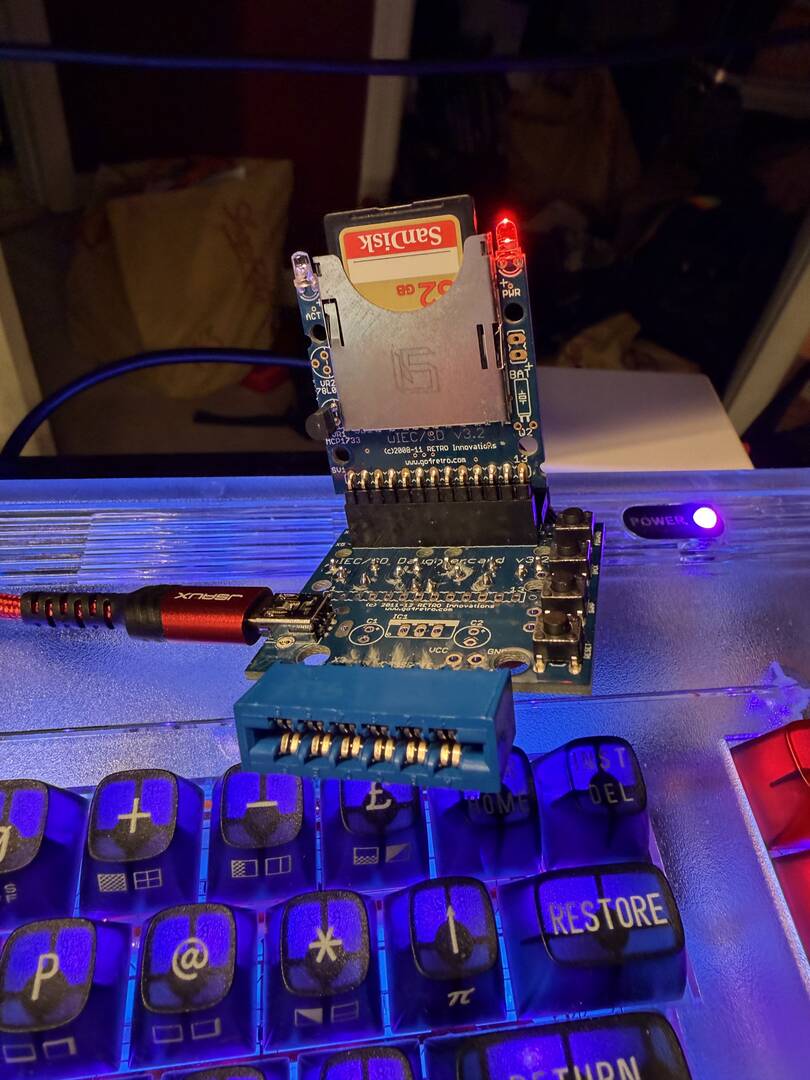
This topic was modified 4 months ago 2 times by Sutehk
Topic starter
Posted : 24/06/2026 2:00 pm
How to Permanently Change µIEC / uIEC / SD2IEC Device Number to 8
Hey All,
If you’re using a µIEC (uIEC/SD) or similar SD2IEC-based device with your C64, Ultimate 64, or C128, it usually boots up as device 10 by default. Most classic software expects the primary drive to be device 8, so changing it makes life a lot easier—no more fiddling with device numbers in every LOAD/SAVE command.
Here’s the quick and reliable way to set it to device 8 permanently (survives power cycles):
Step-by-Step Instructions
1. Power on your C64/Ultimate 64 with the uIEC connected.
2. Change the device number (temporary change):
OPEN 15,10,15,"U0>"+CHR$(8):CLOSE15
• If your uIEC is currently on a different number (not 10), replace the 10 with the current one.
3. Save the new setting to flash memory (this makes it permanent):
OPEN 15,8,15,"XW":CLOSE15
That’s it! Your uIEC should now act as device 8 even after a full power cycle.
Verification
• Try LOAD"$",8 to list the directory.
• Or use JiffyDOS: @"",8
• You should see a status like 73,UEIC Vx.x.x,00,00 (or your firmware version).
Tips & Troubleshooting
• Multiple devices? Keep numbers unique (e.g., real 1541 on 9, CMD HD on 10, etc.). The IEC bus handles up to about 8 devices reliably.
• Ultimate 64 users: Double-check that any virtual drives in the U64 menu aren’t conflicting with device 8.
• Revert or change to another number: Just replace the 8 in the commands with your desired number (e.g., CHR$(9) for device 9).
• Doesn’t stick? Make sure the second command runs successfully after the first. Some older firmware variants may behave slightly differently—update if possible.
This has been a game-changer for compatibility with old software and GEOS setups. Works great alongside RAMLink, CMD drives, etc.
-Sutehk
Topic starter
Posted : 27/06/2026 9:32 am