
Notifications
Clear all

Hi All,
One thing that has always struck me as odd is how the stock Commodore firmware on the C64 Ultimate hides a bunch of powerful, fully configurable options from the on-screen menu. The whole DNA of this machine — and the Commodore 64 scene in general — is built on tinkering, experimenting, and pushing the hardware as far as it will go. Hiding settings that are still completely supported by the firmware just doesn’t make sense.
Why not include an "Expert Mode" toggle in the menu that reveals everything (like Gideon’s original 3.14d firmware does) and let users decide for themselves what they can or cannot handle? Don’t prejudge — give us the tools and let the community figure it out.
Luckily, even though Commodore simplified the UI, every single hidden option is still fully accessible through plain-text .cfg files (exactly the same way UltimateTerm’s “run me first” works). Here’s everything you need to know:
Complete list of the most useful hidden / missing config options
C64 & Cartridge Settings (most requested)
- DMA Load Mimics ID → 8 or 10 (fixes many games/loaders)
- Map Ultimate Audio $DF20-DFFF
- Command Interface
- UltiDOS: Allow SetDate
REU Settings
- REU Size (128k up to 16MB)
- REU Preload
- REU Preload Image
- REU Preload Offset
U64 Specific / SID & Audio
- SID in Socket 1/2 (None / 6581 / 8580 / fpgaSID / sidFX)
- SID Socket 1/2 Address
- UltiSID 1 Address / UltiSID 2 Address
- SID Player Autoconfig
- Allow Autoconfig uses EmuSid
- Paddle Override
- Ext StereoSID addrline
- All Vol XXXX and Pan XXXX keys (EmuSid, Socket, Sampler, Drive, Tape, etc.)
Video & Timing
- HDMI Scan Lines
- Digital Video Mode (DVI / HDMI)
- Analog Video
- Chroma Delay
- Adjust Color Clock
- System Mode (PAL / NTSC)
Other useful tweaks
- Button Order
- Fast Reset
- SpeedDOS Parallel Cable
- CPU Addr valid after PHI2
- PHI2 edge recovery
Ready-to-use .cfg template (just copy & paste)
ini ; ============================================= ; C64 Ultimate - Full Hidden Config Options ; Gideon 3.14d features missing from Commodore menu ; Save as advanced.cfg and run from file browser ; ============================================= [C64 Cartridge Settings] DMA Load Mimics ID=8 ; Change to 10 if needed Map Ultimate Audio $DF20-DFFF=Disabled Command Interface=Enabled UltiDOS: Allow SetDate=Enabled ; REU REU Size=512k REU Preload=Disabled [U64 Specific Settings] HDMI Scan Lines=Disabled Digital Video Mode=DVI SpeedDOS Parallel Cable=Disabled System Mode=PAL ; SID / Audio SID in Socket 1/2=fpgaSID SID in Socket 2=None UltiSID 1 Address=$D400-$D7FF UltiSID 2 Address=$D420-$D7FF SID Player Autoconfig=Enabled Allow Autoconfig uses EmuSid=Yes Paddle Override=Disabled ; Volumes & Panning (adjust to taste) Vol EmuSid1=0dB Vol EmuSid2=0dB Vol Socket 1=0dB Vol Socket 2=0dB Vol Drive 1=-6dB Vol Drive 2=-6dB Pan EmuSid1=Center Pan EmuSid2=Center ; Video Analog Video=CVBS + SVideo Chroma Delay=0 Adjust Color Clock=0 ; Other Button Order=Reset|Menu|Freezer Fast Reset=Enabled
How to use it:
1. Copy the block above into a new text file → save as advanced.cfg (plain text).
2. Copy the file to the root of your USB stick.
3. On the C64 Ultimate: File browser → highlight the .cfg → press Enter → Run / Load Config.
4. Some changes take effect immediately; others need a reset.
Pro tip to see EVERY possible key on your firmware:
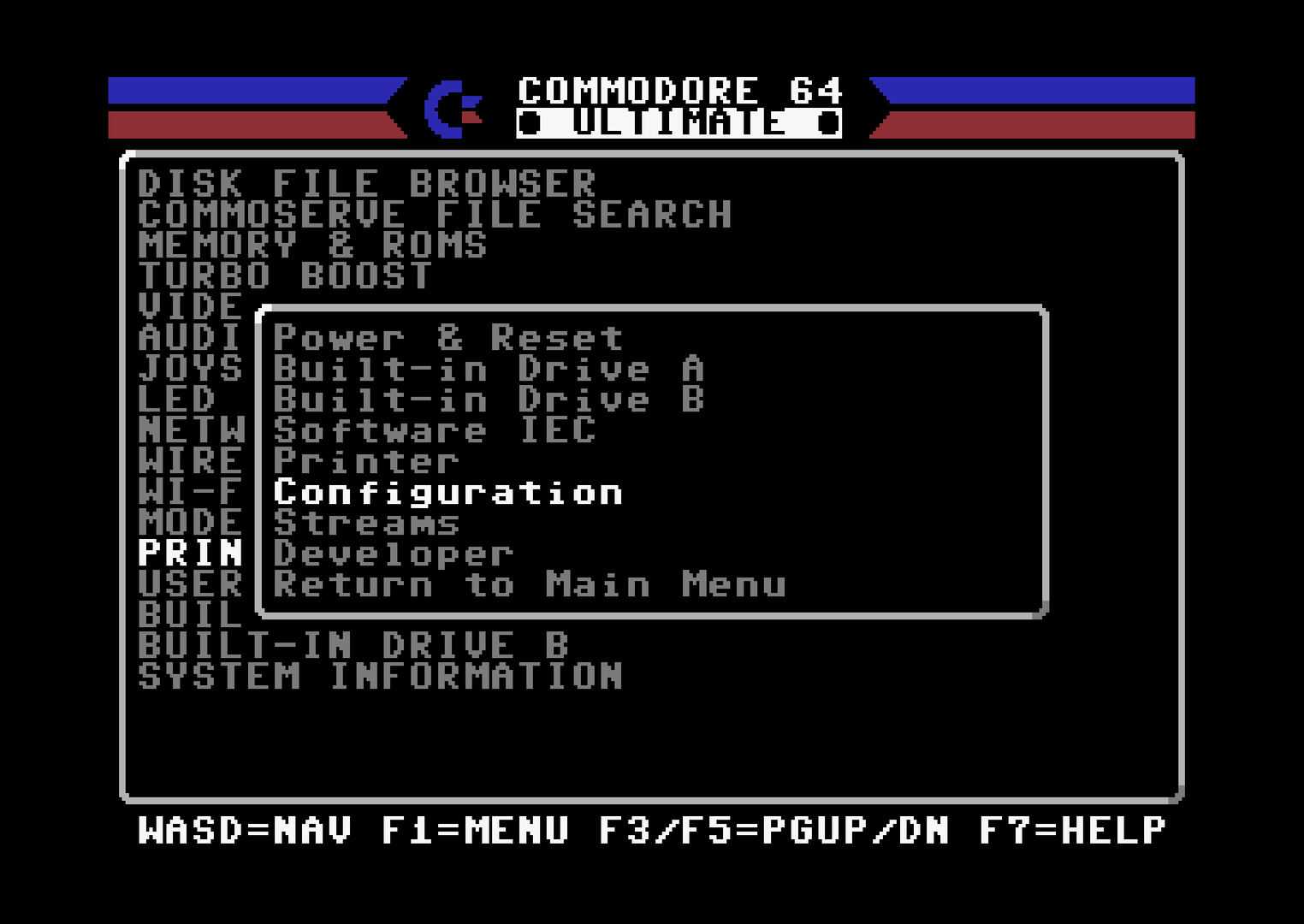
In the file browser press F1 → Configuration → Save to File. Open that file on your PC — it lists every single setting the firmware supports. You can then delete the ones you don’t want and keep only the keys you care about.
This way you can make one .cfg per game, per setup, or whatever you need.
Remember some of these settings can make yor Ultimate do weird things so research before you turn things on and off. Commodore probably hid these to protect inexperienced users.
Hope this helps everyone squeeze even more out of their C64 Ultimate!
If you discover more hidden keys or want the template expanded, just post your saved full .cfg here and the community can keep improving it.
-Sutehk
Topic starter
Posted : 29/04/2026 7:55 am