
Notifications
Clear all

Hey everyone,
Just wanted to share that Commodore has dropped the new Firmware 1.1.0 for the Commodore 64 Ultimate (Beige, Starlight, and Founders Edition). This is a nice quality-of-life update with better stability, USB mouse support, and web interface enhancements.
Key Features & Updates in 1.1.0
- USB Mouse Support: Plug in a standard USB (boot) mouse and use it via 1351 mouse emulation. Works great for modern comfort!
- Enhanced Web Interface (HTTP): Drag-and-drop support for SID, PRG, and CRT files. Improved tooltips, styling, and a much better BASIC editor (now with a Stop button, uppercase option, better error handling, and no line wrapping for easier code viewing).
- LED Controller Improvements: Better simulation of classic 1541 drive LEDs and support for WS2812/APA102 strips.
- Network & WiFi Stability: Fixed modem disconnects, Ethernet bugs, memory leaks, and web server crashes. Network status now updates properly without refreshing the page. Open access points won't auto-join unless previously saved.
- Other Fixes & Polish: HDMI output optimizations, corrected analog RGB palette loading, various stability improvements, and overall smoother performance.
Full changelog is included in the download ZIP.
Where to Get It
Download the firmware here:
→ Download Here!
Look for the Commodore 64 Ultimate 1.1.0 package (c64u_v1.1.0.zip). Always check the included changelog.txt for the complete list.
How to Update
1. Download and unzip the firmware package on your PC.
2. Copy the update files to the root of your SD card (or use Ultimate64 Manager or the web interface / FTP for transfer ).
3. Insert the SD card into your C64 Ultimate.
4. From the main menu goto Disk File Browser, navigate to the update file and select Run Update.
5. Follow the on-screen prompts – the system will reboot when done.
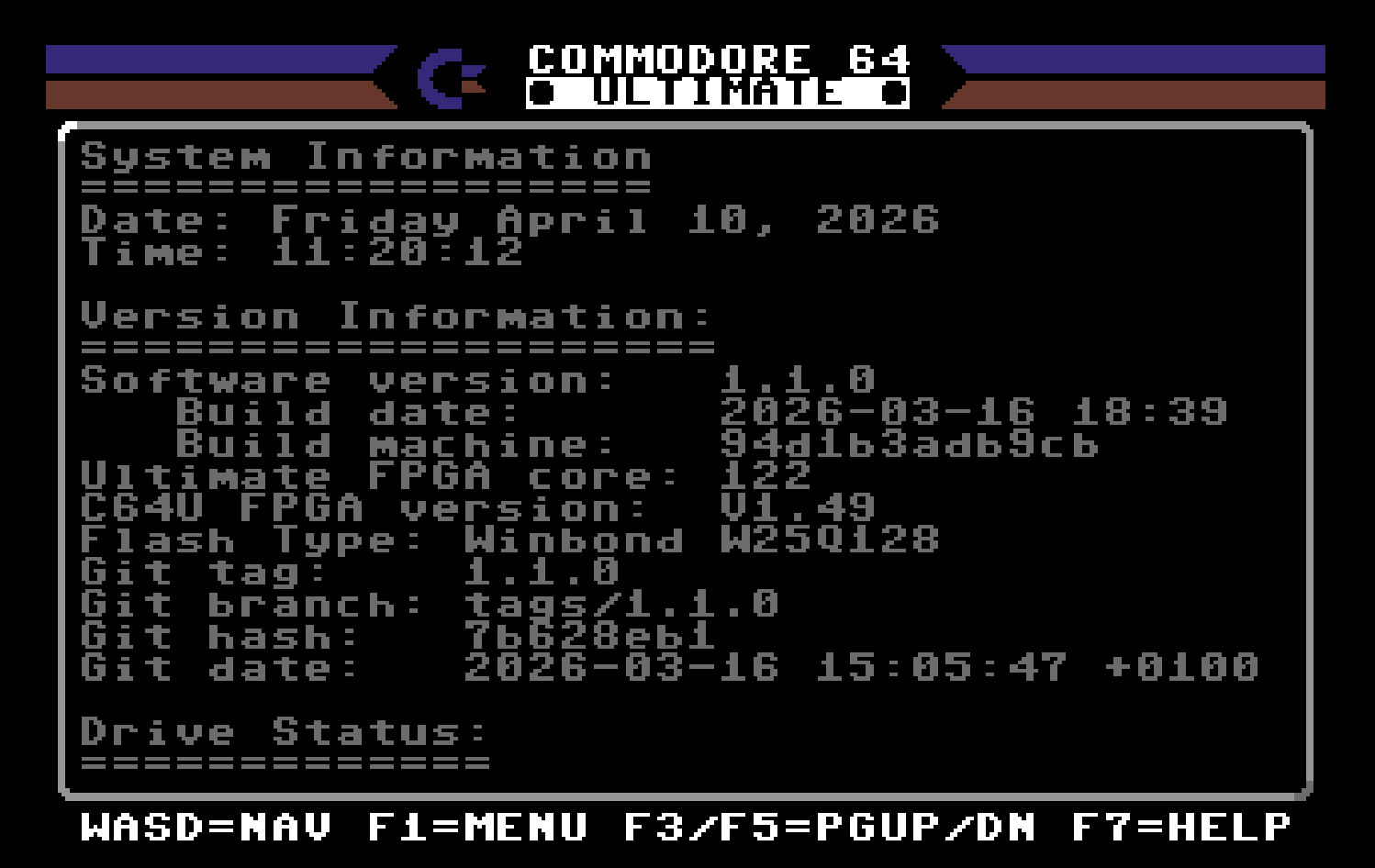
6. After updating, go to System Information to confirm you're now on version 1.1.0.
Tip: Back up any important settings or files first; including your Flash: Internal Memory. The process is straightforward and reversible if needed except for the Flash overwrite.
If you run into any issues, the official Commodore support channels or this group are great places to ask.
Who's updating today? Let me know what issues you run into, how the USB mouse feels or if you spot any other cool changes!
-Sutehk
Topic starter
Posted : 10/04/2026 9:24 am
Shane - "PalKat" reacted