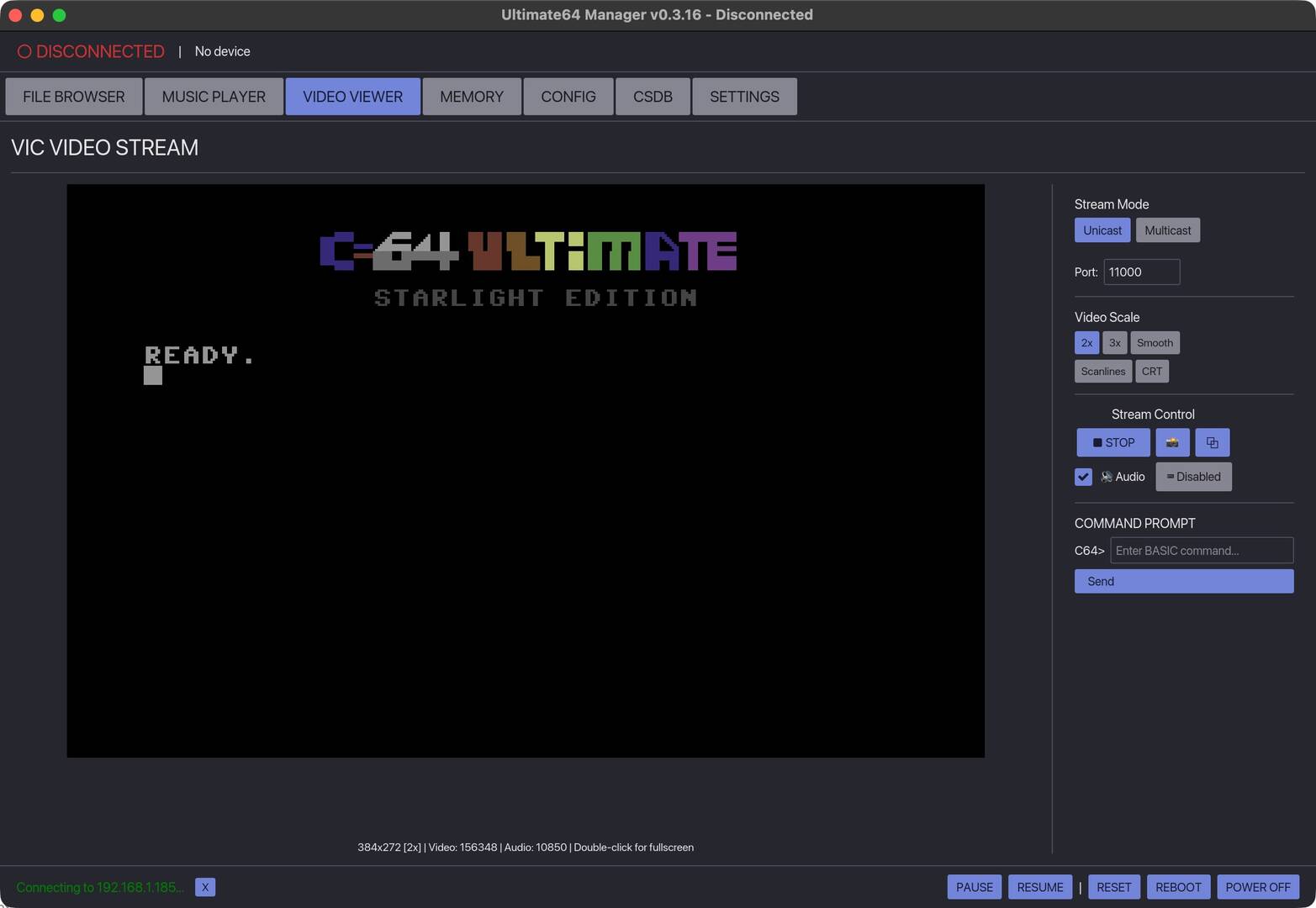
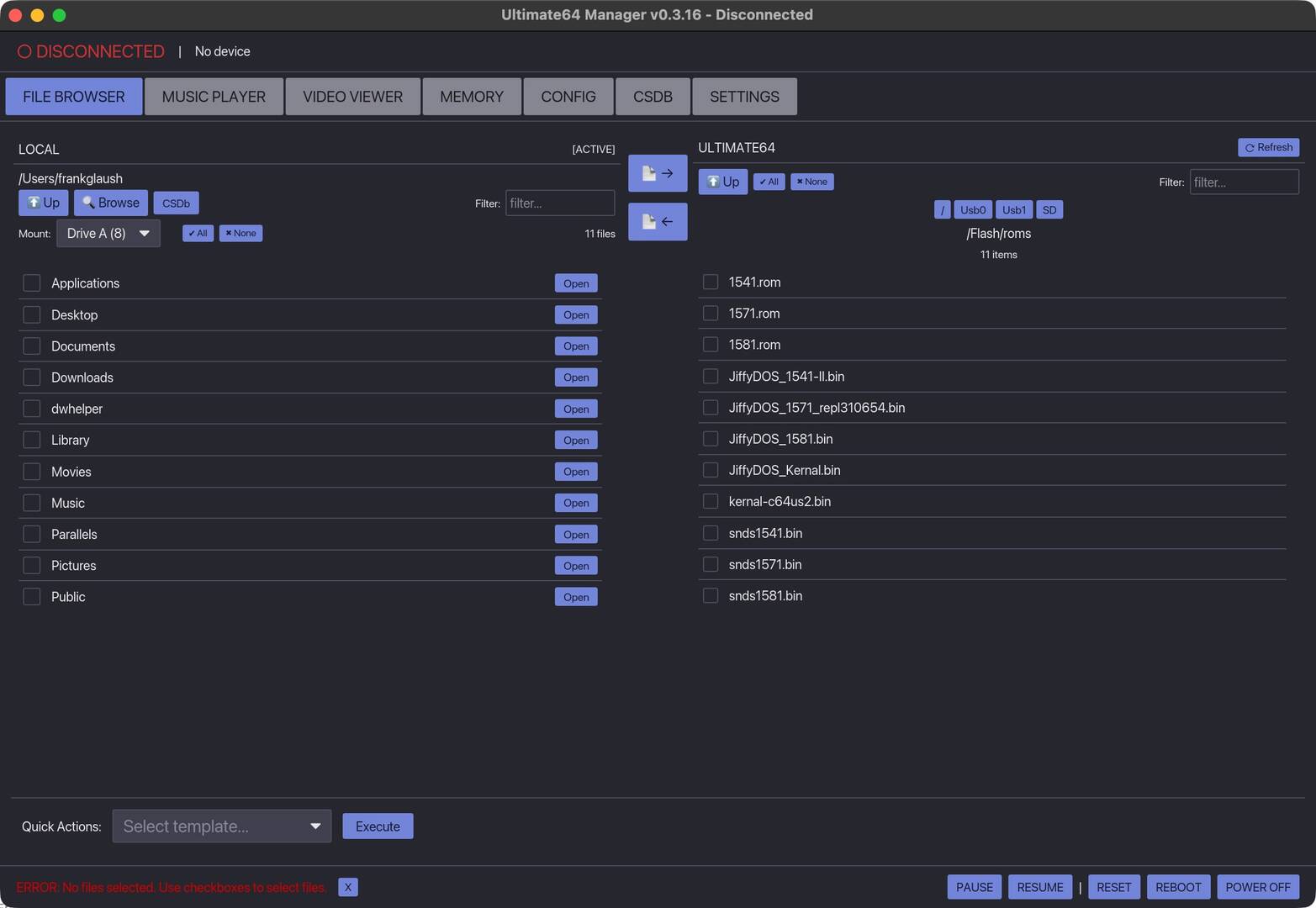
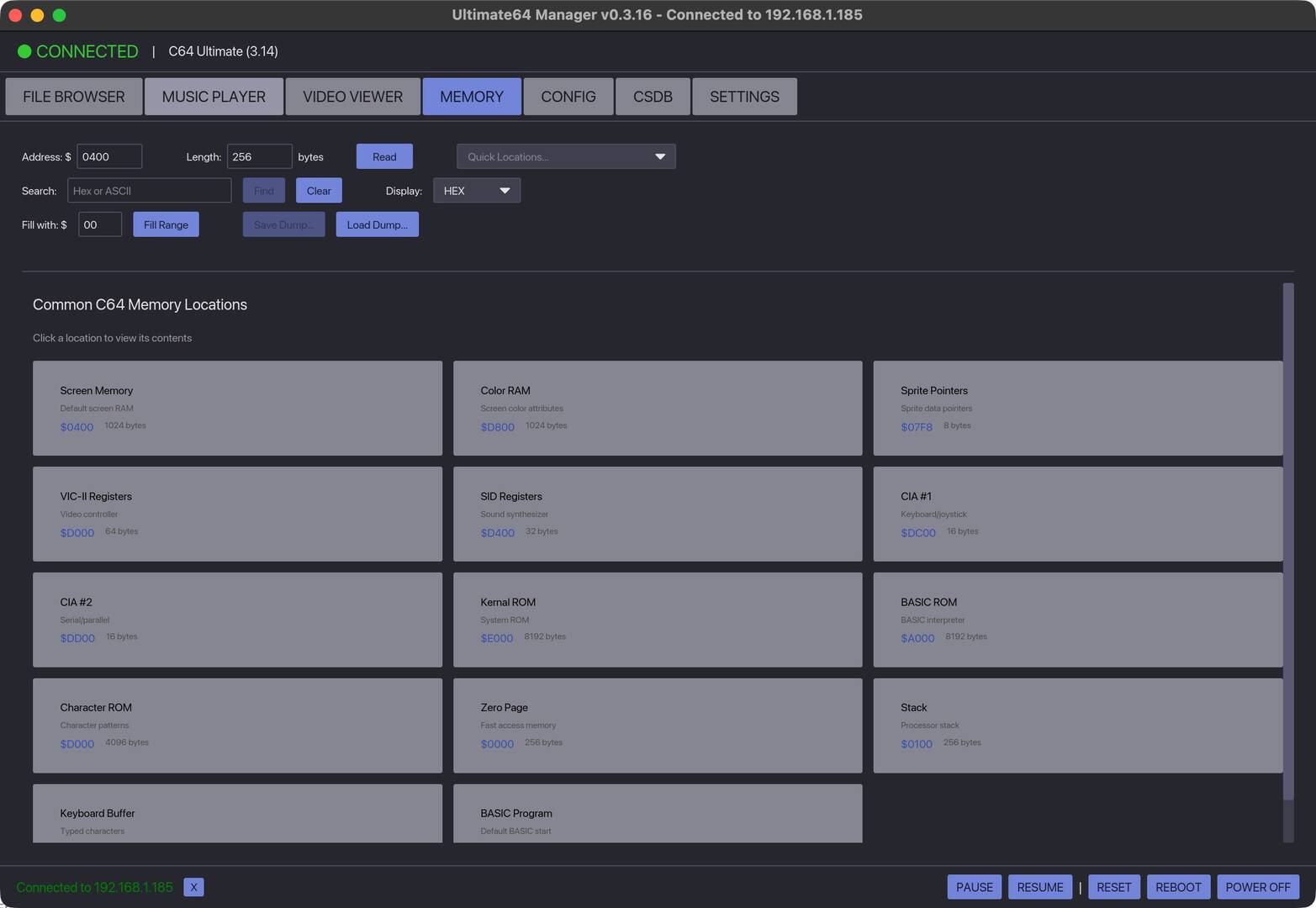
I've just uploaded the **Ultimate64 Manager v0.3.16** – the cross-platform desktop tool that makes managing your **Ultimate 64**, **Ultimate 64 Elite**, **Ultimate-II+**, or **Commodore 64 Ultimate** a breeze from your modern computer!
This open-source app (built with Rust + Iced) gives you a clean, intuitive GUI to handle pretty much everything without constantly swapping SD cards or USB sticks. Key features include:
- **Dual-pane file browser** – Local files on one side, your U64 filesystem on the other for easy drag-and-drop transfers - **FTP-based file transfer** – Upload/download multiple files at once, including batch and recursive options - **Remote filesystem browsing** – Explore directories on the Ultimate without mounting anything - **Disk image management** – Mount D64, D71, D81, G64, G71 images directly to Drive 8 or 9 (A/B) - **Direct program loading** – Load & run PRG, CRT files instantly - **Built-in music player** – Play SID tunes (with HVSC Songlengths.md5 support), MOD files, playlists, subsong navigation, shuffle/repeat - **Video streaming** – Real-time VIC-II output with audio, fullscreen support, screenshot capture, and interlacing options - **Configuration editor** – Tweak your Ultimate's settings right from the app - **Machine controls** – Pause/resume, reset, reboot, power off, plus remote keyboard input for BASIC/menus - **CSDb integration** – Browse and download scene releases easily (improved in recent versions with local data storage and auto-loading latest stuff) - And more: quick access to memory views, hex/ASCII browsing, search patterns, etc.
v0.3.16 brings refinements like better CSDb handling (organized downloads, local caching), remote browser enhancements (file selection + batch/recursive downloads for backups), UI tweaks, bug fixes, and smoother overall performance.
To get the best experience, make sure FTP and Web services are enabled on your Ultimate device (check the network settings on the U64 itself).
Sounds fantastic. Too bad I'd have to run it in WINE or a VM. Those screens are too small for my eysight. You only have Windows & Mac versions, so I'll have to hope for a full-screen Linux version in the future.
I currently run it in Wine on my Debian 12 system. The screen works but the lettering is much larger then the Windows version. If you try to run the latest Linux version you will need to be running the latest version of your OS, in Debian that would be 13 or Ubuntu I think 26.04.. I need to upgrade my OS in order to run the native version..
Bucko
Wrong Number Family of BBS'
Website: www.wrgnbr.com
Wrong Number ][ BBS - wn2.wrgnbr.com:23 (Mystic BBS)
Wrong Number ]I[ BBS - wn3.wrgnbr.com:6400 (CNet Amiga BBS)
Wrong Number IV BBS - wn4.wrgnbr.com:3000 (Image BBS v3.0)
Wrong Number VI BBS - wn6.wrgnbr.com:6411 (ORIGINAL Wrong Number ][ Retro 1993 BBS)
The Time Warp BBS - (Centipede 128 Dual Line BBS)
twb.wrgnbr.com:6896 - Auto roll down to Line 2 if Line 1 is Busy.
Bucko's Den BBS - bdn.wrgnbr.com:6800 (Excelsior! BBS For the Amiga) 1 of only 3 known Excelsiors!!