
Notifications
Clear all

Hello All!
I’ve been digging deep into my C64 setup lately, and I thought it’d be fun to share a bit of history on GEOS and its major upgrades/extensions like gateWay, Wheels, and MegaPatch. These were game-changers for turning our beloved 8-bit Commodores into something resembling modern GUIs—way ahead of their time on hardware that was never meant for it. I’ll break it down by each one, with timelines, a quick history, and the key innovations that made them stand out. All this is based on some research from old docs, wikis, and enthusiast sites. If you’ve got corrections or personal stories, chime in—I love hearing about people’s setups!
Commodore GEOS: The Original GUI Magic for 8-Bit
GEOS (Graphical Environment Operating System) was the brainchild of Berkeley Softworks (later GeoWorks), founded by Brian Dougherty. It started as a way to bring Mac-like graphical interfaces to affordable home computers, and boy did it deliver. Released initially for the C64, it transformed the clunky command-line world into point-and-click heaven, all while squeezing into 64KB RAM and slow floppy drives. Commodore even bundled it with later C64 models, making it the de facto OS for many users. It wasn’t a full OS replacement (you booted it like any program from BASIC), but it felt revolutionary.
Timeline:
• 1985: Beta versions 1.0 and 1.1 for developers.
• January 1986: GEOS 1.2 for C64 released and shown at Winter CES.
• June 1986: Demoed at CES with the first OEM GEOS-bundled C64.
• 1987: Version 1.3 with language support; GEOS for C128.
• 1987-1988: Version 1.5 bundled with C64C models.
• June 1988: GEOS 2.0 for C64 unveiled at CES in Las Vegas.
• 1989: GEOS 2.0 for C128.
Major Innovations:
• First real GUI on 8-bit hardware: Icons, menus, windows, and mouse/joystick control—borrowed heavily from the Mac but optimized for the C64’s limitations (like 40-column screen and no hard drives initially).
• Bundled apps like geoWrite (word processor with WYSIWYG editing, justification, search/replace) and geoPaint (bitmap editor).
• Desk accessories for proto-multitasking: Run a calculator, notepad, or alarm clock from any app.
• RAM expansion support in v2.0: Enabled disk caching, bigger apps, and basic task-switching.
• Driver system for printers, input devices, and drives, paving the way for future expansions.
It wasn’t perfect—slow on stock hardware and isolated from non-GEOS apps—but it kept the C64 relevant well into the ’90s.
gateWay: CMD’s Hardware-Focused Upgrade
By the early ‘90s, Creative Micro Designs (CMD) saw GEOS needed better integration with their fancy new hardware like hard drives and RAM expansions. They distributed gateWay (note the funky capitalization), written by Jim Collette. It was basically a radical overhaul of GEOS’s deskTop file manager, requiring kernel patches to boot. Available for both C64 and C128, it was the first big third-party upgrade that made GEOS feel modern with CMD gear.
Timeline:
• 1991: Initial release by CMD for C64 and C128.
Major Innovations:
• Built-in CMD hardware support: Seamless use of HD-Series hard drives, FD-Series floppies, RAMLink, and more—no more clunky patches.
• Task switcher: Switch between apps without quitting, a huge step toward real multitasking on 8-bit.
• Customizable deskTop: Ugly but powerful—rearrange everything, add shortcuts, and tweak to your heart’s content.
• Kernel-level patches: Made GEOS faster and more stable with expanded storage.
If you had CMD peripherals, this was a must-have. It bridged the gap between stock GEOS and the power-user era.
Wheels: Movable Windows and Speed Boosts
Maurice Randall took GEOS to the next level with Wheels (often called GEOS 4.0, though unofficial). Released as an add-on for GEOS 2.0, it focused on usability and hardware expansion. It replaced deskTop with “Dashboard” and added features that made GEOS feel like a ’90s OS. It required at least 128KB RAM expansion but shone with accelerators like the SuperCPU.
Timeline:
• Mid-to-late 1990s: Released around 1997-1998, shortly after gateWay as part of the “trinity” of GEOS upgrades.
Major Innovations:
• Movable and resizable windows: Drag and scale them freely— a massive UI upgrade over fixed windows in original GEOS.
• Advanced file management: “Dashboard” supported CMD native partitions, subdirectories, and large storage (up to 16MB RAM expansions and hard disks).
• Multitasking improvements: Better app switching and stability.
• Hardware compatibility: Optimized for CMD devices, modems, and even 20MHz upgrades.
• Backward compatibility: Ran most original GEOS apps without issues.
Wheels made GEOS fly on upgraded hardware. If gateWay was about integration, Wheels was about polish and speed.
MegaPatch: The Patch Master for Hardware Junkies
Markus Kanet from Germany created MegaPatch as a modular upgrade system for GEOS 2.x. It evolved over versions, with MegaPatch 3 (MP3) being the big one. It included “TopDesk” as a file manager and focused on broad hardware support, making it ideal for users with mixed setups. Like the others, it was hobbyist-driven but became essential for power users. Even in recent years, MegaPatch has continued to receive updates from its developer (under the handle DarkVision), with revisions up to at least 3.3r10 as of 2023 and currently at version 3.3r11 as of 2025. These updates fix bugs, improve compatibility, and add features like better support for modern emulations and hardware . It works well on recreations like the Ultimate 64, supporting up to 16MB SuperRAM and RTC functionality, though you might run into issues with the latest Ultimate firmware due to API changes—best to use tested older firmware, enable RTC options in Ultimate settings, and avoid combining REU and GEORAM (they share memory space). For the latest files and help, check the GitLab repo at http://gitlab.com/mkslack/Area6510 or forums like Lemon64 and http://Forum64.de .
Timeline:
• Early 1990s: Initial patches start appearing.
• Late 1990s-early 2000s: MegaPatch V3 released around 1999-2001, following Wheels closely.
• 2018: Major update to V3.3 after nearly 20 years, adding SD2IEC and SuperRAM support.
• 2021-2023: Revisions like 3.3r7, r9, and r10, with ongoing community discussions and private fork development.
Major Innovations:
• Extensive hardware support: Works with classic drives (1541, 1571, 1581) plus CMD FD/HD/RL, and even new features like better RAM handling.
• TopDesk file manager: Integrated task switching and a more intuitive interface.
• Modular patch system: Apply small updates for specific improvements—easy to customize.
• Stability and speed tweaks: Fixed bugs in original GEOS, added support for larger partitions and faster I/O.
MegaPatch was the “fix-it-all” option, especially if you had non-CMD hardware. Versions like 3.3 even added modern touches post-2000.
These four turned the C64/128 from gaming machines into productivity beasts. GEOS started it all in ’86, and by the late ‘90s, with gateWay, Wheels, and MegaPatch, you could do word processing, DTP, and even light multitasking on hardware from the ‘80s. Anyone still running these on real hardware? I’ve got Wheels on my C128 and both Wheels and Megapatch on CMD HD partitions for my Ultimate C64.
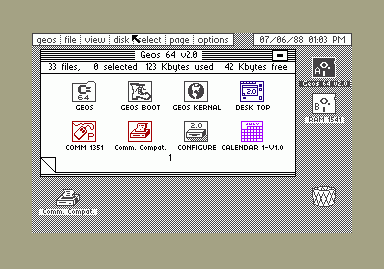
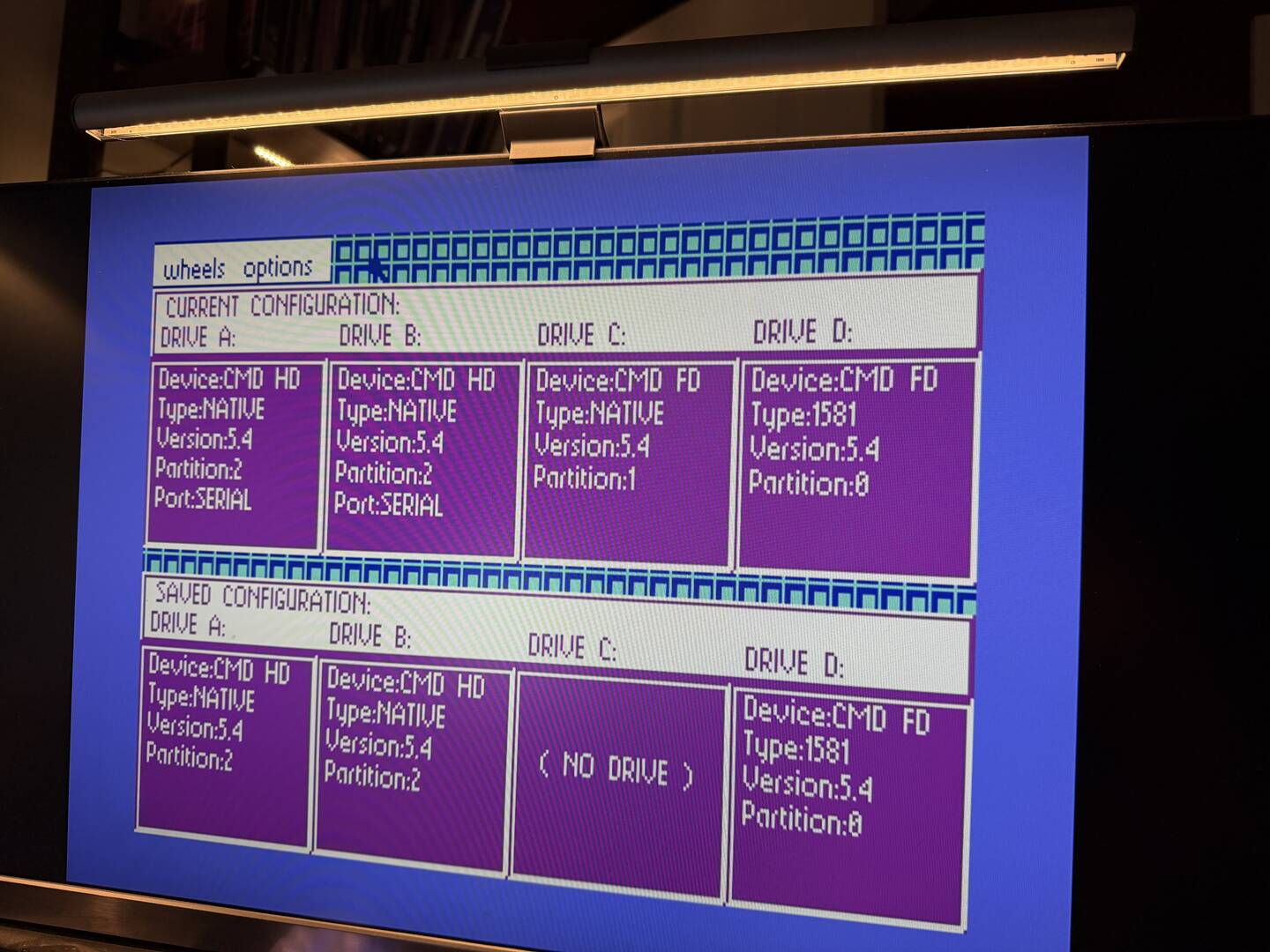
(Below GEOS Original, Wheels Screens and a Magapatch 3.3)
-Sutehk


This topic was modified 9 months ago 3 times by Sutehk
Topic starter
Posted : 31/01/2026 7:59 pm
Shane - "PalKat" reacted
When I posted the link to my original 8-bitboyz GEOS deep-dive over on X, Xander replied pointing out that I missed the evolution from MegaPatch into GDOS64 by the same author. Spot on—it’s basically the next chapter for C64-focused GEOS power users.
In my reply on X, I admitted I selfishly stuck with MegaPatch (which is still getting updates and runs decently on my Ultimate 64 setup, despite some virtual drive emulation quirks slowing me down), and that I haven’t actually booted GDOS64 yet to give it a proper spin. But Xander’s comment got me thinking more about it in the progression.
Solid community feedback encouraging folks not to overlook GDOS64 when talking modern GEOS evolutions. (My bad )
Quick refreshed teaser on GDOS64 based on what’s out there:
• Developed as an evolution/fork from MegaPatch roots (started as GeoDOSV3 tweaks back in the day).
• Features the slick GeoDesk desktop: even more flexible windows, on-the-fly driver switching, class-based help, image tools, and better performance tweaks.
• Around v0.51 (mid-2024-ish mentions), with beta mouse wheel support and ongoing work.
• Best on accelerated hardware (SuperCPU, Turbo Chameleon, Ultimate 64 with turbo modes), needs 1-2MB+ RAM, GEOS 64 base.
• Some U64 quirks noted (like mouse wobble in turbo), and author has said full official U64 support isn’t priority soon.
Still planning to grab the latest from the repo and test it out—especially since I’m populating more GEOS content on 8-bitboyz. If it flies as well as MegaPatch on my Ultimate setup (minus the drive emulation hiccups), it could be the new daily driver.
Xander—if you’re around, thanks again for the pointer! Any recent tips on getting GDOS64 stable on Ultimate hardware, or is it still better suited to other accelerators right now?
Anyone else jumped to GDOS64 from MegaPatch/Wheels? Screenshots, war stories, or setup advice welcome—let’s keep this thread rolling into the true bleeding edge of 8-bit GUIs!
-Sutehk
This post was modified 9 months ago 2 times by Sutehk
Topic starter
Posted : 02/02/2026 8:43 am
DarkVision reacted