
Notifications
Clear all

CMD/IEC Utilities — (not a public release yet....but soon)
Hello All,
I’ve been working on a suite for people who live on CMD hard drives, uIEC/sd2iec, and mixed IEC setups — the kind of system where “just copy the files” is never that simple.
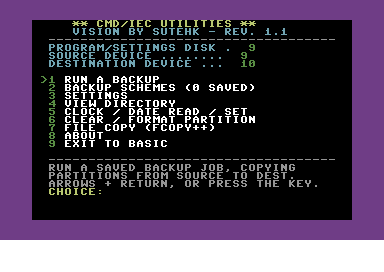
It started as a partition backup tool geared toward BBS's. It’s turned into a small CMD/IEC utilities collection with a few pieces that are meant to work together and some utilities I wished I had but never were made that I could find:
Backup schemes
Save named jobs: which partitions go where, and how. Modes include wipe-and-copy, ask before overwrite, and smart (only replace when the source is newer). Built for real multi-partition drives, not a single floppy image.Repetitive backups of multiple partitions simplified with choosing a single scheme.
FCOPY++
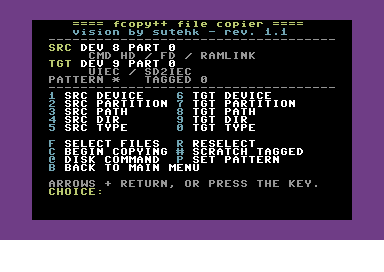
A new take on a CMD classic. Tag files and copy or scratch them without fighting the serial bus more than you have to. REL files are handled properly (REL files are hard). Directory work is kept quick so you’re not staring at “Reading directory…” for minutes on a normal listing.
View directory
Browse a partition, optionally pull file dates on CMD/uIEC (you choose — dates can be slow, so it’s opt-in). There’s also a partition table view ($=P style): numbers, names, types — and you can print (yes to a printer) the same way you print a file list.
Clocks
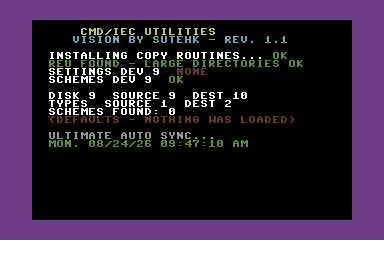
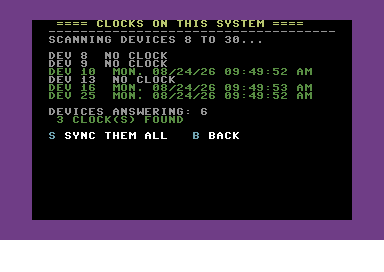
Scan devices for real-time clocks, set them, and sync them. On an Ultimate 64, it can read the host RTC and push that time out to the drives on the bus. Optional auto-sync at startup so the system isn’t living in 1985 every time you power on.
Settings that stick
Source/dest devices, drive types, sound, Ultimate auto-sync — saved on the boot disk so you’re not re-entering device numbers every session.
It’s written for JiffyDOS, uses the REU when it’s there for large directories, and is aimed at people who actually run CMD HD / uIEC partitions day to day — but its become a robust common copy tool I've been using to replace all my other stand-alone utility programs.
Still a teaser right now with some friends helping me test. I’m polishing a few edges and collecting feedback from the small group before any wider drop. Screenshots below of the menus and a couple of the working screens.
If you live on partitions and serial-bus mass storage, hopefully you’ll recognize the problems this is trying to solve.
— Sutehk
Topic starter
Posted : 24/08/2026 8:35 am
Shane - "PalKat" reacted