I'm stuck getting Image 3.0 to work on my Commodore 64 Ultimate. I'm using Image_Install_3.0_Feb_2026.zip and trying to follow the Sysops Guide PDF.
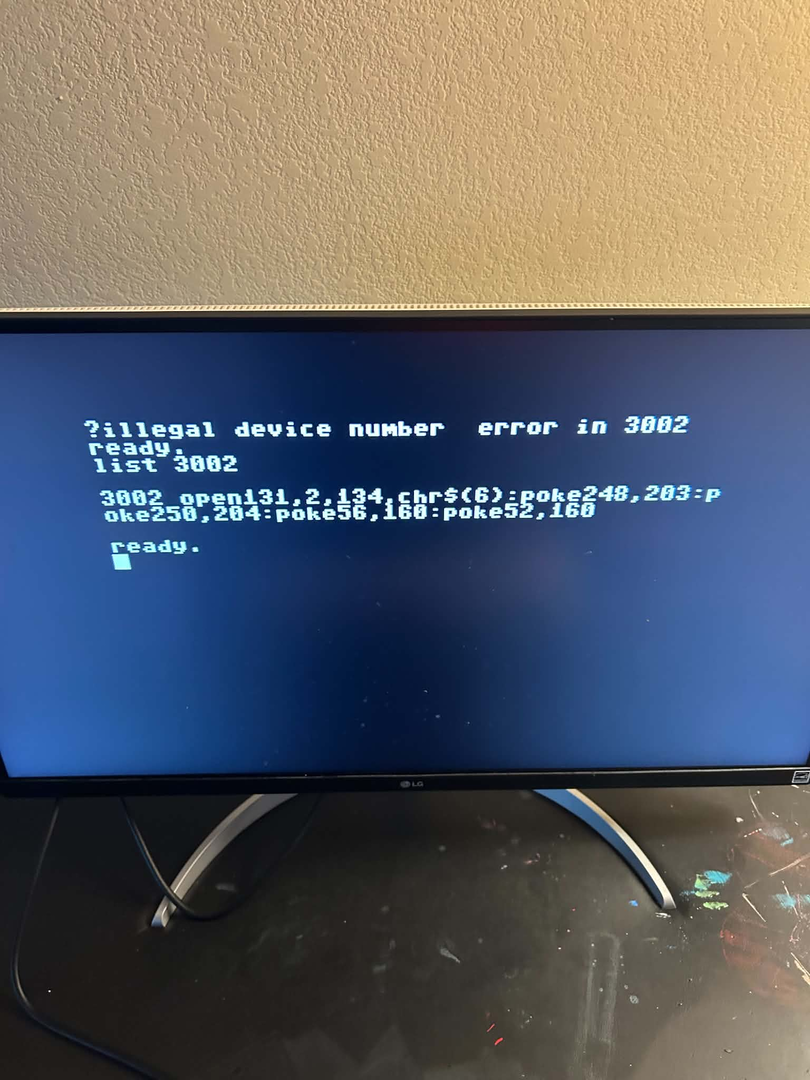
One path that seemed really promising was to try using a JiffyDos patched Hyperspeed Kernel. This allows DMA access via UCI using standard kernel routines. Man it's fast. Alas Image wouldn't even start. Error in line 3022.
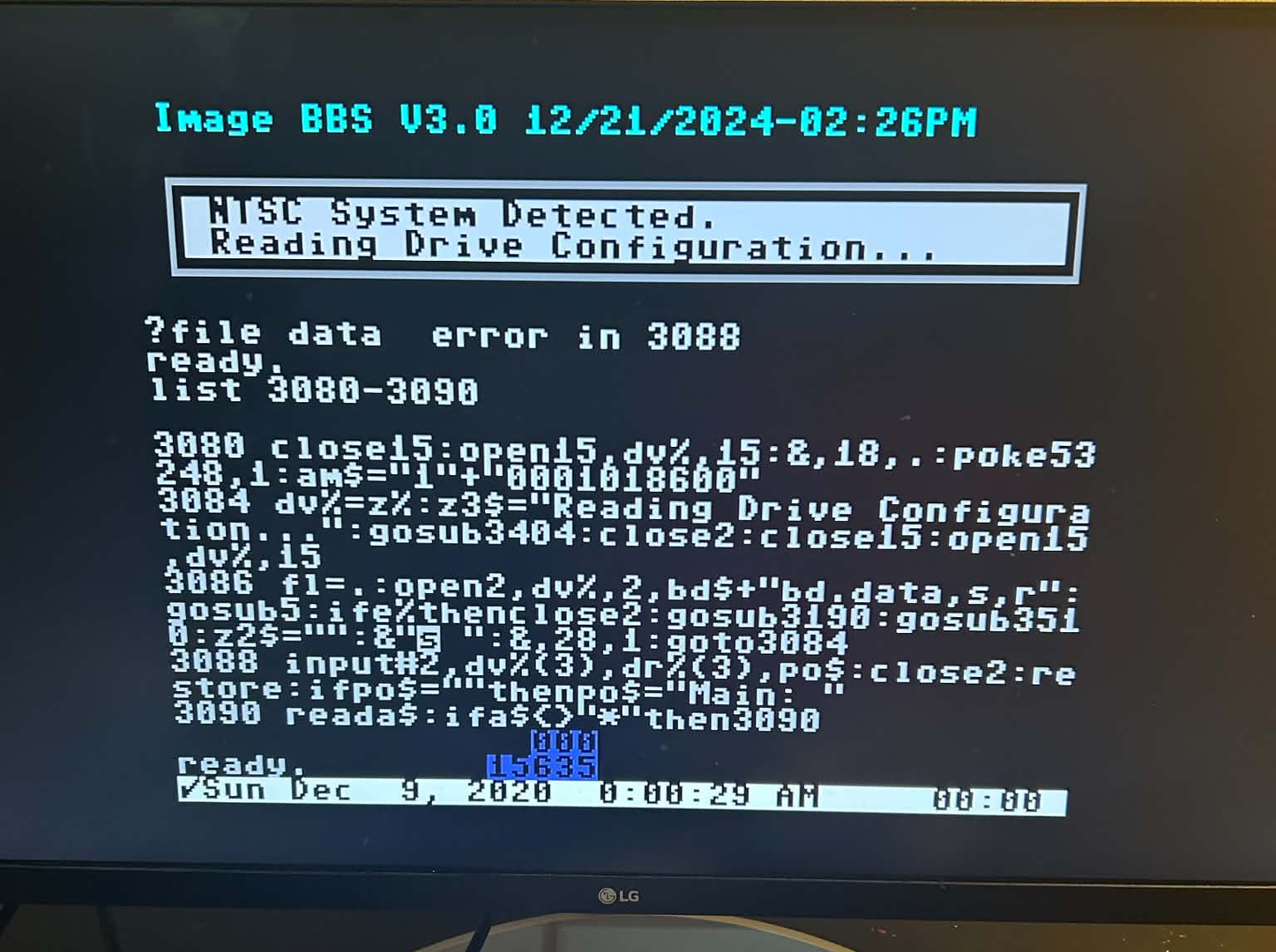
A more conservative approach almost worked. I created 6 DPN files. I was able to go through the entire configure process but as soon as I told it to use swiftlink I got an error. I rebooted and restarted and the same error appeared. Error in line 3088.
Am I using the right zip? Are there patches I'm unaware of or steps/configuration I'm doing that is wrong?
I'm stuck getting Image 3.0 to work on my Commodore 64 Ultimate. I'm using Image_Install_3.0_Feb_2026.zip and trying to follow the Sysops Guide PDF.
One path that seemed really promising was to try using a JiffyDos patched Hyperspeed Kernel. This allows DMA access via UCI using standard kernel routines. Man it's fast. Alas Image wouldn't even start. Error in line 3022.
A more conservative approach almost worked. I created 6 DPN files. I was able to go through the entire configure process but as soon as I told it to use swiftlink I got an error. I rebooted and restarted and the same error appeared. Error in line 3088.
Am I using the right zip? Are there patches I'm unaware of or steps/configuration I'm doing that is wrong?
The files are right, but your drives are not. If the BBS has not been online and you are just starting it up, delete bd.data on the boot drive. And go through the setup process of the BBS again, answering the drive assignment questions with how you have the drives set up. I don't know how you are set, you mention dnp files, but the C64u and U64 do not support dnp files, they can read them but not write to them.. What drives are you using? As Palkat said in another post, understand that the new C64u has some issues with REL files (Still even in the new binary release) and has some issues locking up the drives. Case in Point Commodore 64 run by Palkat on a piCMD HD setup. Get the drive setup corrected then move to other options. Hope that sheds a little light on it..
Bucko
Wrong Number Family of BBS'
Website: www.wrgnbr.com
Wrong Number ][ BBS - wn2.wrgnbr.com:23 (Mystic BBS)
Wrong Number ]I[ BBS - wn3.wrgnbr.com:6400 (CNet Amiga BBS)
Wrong Number IV BBS - wn4.wrgnbr.com:3000 (Image BBS v3.0)
Wrong Number VI BBS - wn6.wrgnbr.com:6411 (ORIGINAL Wrong Number ][ Retro 1993 BBS)
The Time Warp BBS - (Centipede 128 Dual Line BBS)
twb.wrgnbr.com:6896 - Auto roll down to Line 2 if Line 1 is Busy.
Bucko's Den BBS - bdn.wrgnbr.com:6800 (Excelsior! BBS For the Amiga) 1 of only 3 known Excelsiors!!
Is there more nuance in the statement that the C64U can't write to DNP files? I ask because I set programs up as device 8 partition 1 and fcopy+ was able to copy all the files from master_d1_260125.d81 mounted in drive a as device 9 to it. It didn't recognize the drive type but it let me issue dos commands to change partitions so that I could copy files to other partitions also.
In my setup I created 6 DNPs 255 tracks each. I set it up like below. I used jiffy dos commands to make sure the contents and directory label was correct for each partition and I referenced this photo carefully when configuring Image BBS.
I see a bd.data but for some reason it doesn't seem to have any useful information in it.
@chrpai then they probably changed something in the new firmware. I'm previous firmware you could attach dnp files but couldn't write to them. @palkat maybe you can shed some light in this? I have an ultimate 64 not the c64u.
Bucko
Wrong Number Family of BBS'
Website: www.wrgnbr.com
Wrong Number ][ BBS - wn2.wrgnbr.com:23 (Mystic BBS)
Wrong Number ]I[ BBS - wn3.wrgnbr.com:6400 (CNet Amiga BBS)
Wrong Number IV BBS - wn4.wrgnbr.com:3000 (Image BBS v3.0)
Wrong Number VI BBS - wn6.wrgnbr.com:6411 (ORIGINAL Wrong Number ][ Retro 1993 BBS)
The Time Warp BBS - (Centipede 128 Dual Line BBS)
twb.wrgnbr.com:6896 - Auto roll down to Line 2 if Line 1 is Busy.
Bucko's Den BBS - bdn.wrgnbr.com:6800 (Excelsior! BBS For the Amiga) 1 of only 3 known Excelsiors!!
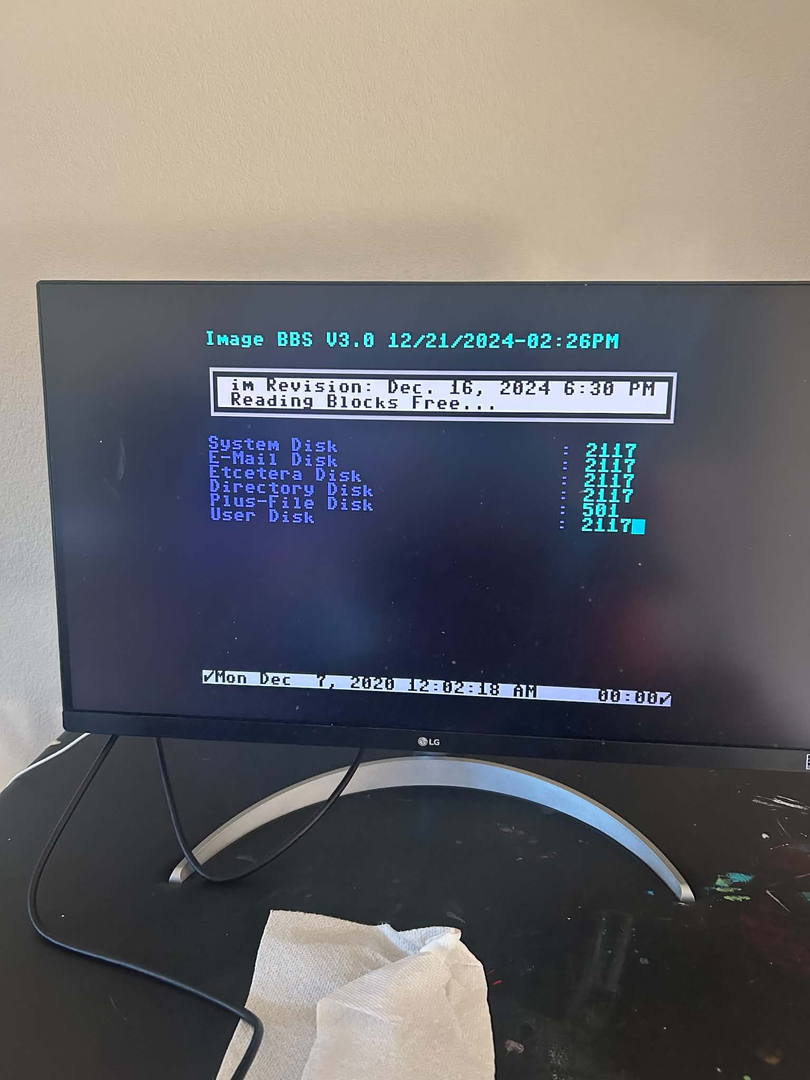
I moved all of my DNP to D81 and the best I could get is to reading blocks free. I then ditched the SoftwareIEC completely and just mounted 2 D81s on 8 and 9 ( PROGRAMS and everything else) and I get the same thing. The cursor and bottom bar just blink really fast. If I break it says breaked in line 60080.
I've figured out the error in line 3002. My stock kernal, jiffydos kernal and hyperkernal all work. I had obtained a script that patched the hyperkernal to also have jiffydos and that seems to have removed the rs232 functions. I switched back to hyperkernal and I can boot just fine.
My fast flashing bar is gone and F1 brings up a status menu. Time to go read the manual some more.
I'm able to get booted and log in locally. Did get an error in the subboards. (error #14 line#4066)
It's hit or miss getting past the checking blocks screen. I think my modem settings are wrong because C64U either responds with the offline.txt or the busy.txt. Pressing F1 on that screen says it's in L:sub.modem so I think it's hanging on something.
I also need to figure out how to get the time right automatically. I have it set in my C64U and the UBOOT64 .crt that I'm using to boot Image ses it but TI$ doesn't. I wonder if I need to run some bootstrap program to load the UCI time into TI$ and then load Image or if it can somehow get it through the CMD emulation.
So all of the hanging has been whenever i try to use uboot64 to autoboot image. I also tried many other ways to autoboot including vibecoding CRT files but they all create problems where image cant see the other partitions. I'm going to leave autoboot as my very last thing to do.
The board boots nice and fast but i still can't telnet in. The c64u ACIA modem always reports offline.
Image BBS 3.0 runs fine on my C64 with an Ultimate II+ cartridge using the latest firmware build from Gideon’s repository. I’m not sure whether Commodore’s latest C64 Ultimate firmware includes the same Software IEC fixes as the latest U64 build.
I’d start with the stock C64 KERNAL or regular JiffyDOS. The JiffyDOS-patched Hyperspeed KERNAL is behind the official Hyperspeed build and is missing several fixes, so I’d skip it for this setup.
With the current U64 and Ultimate II+ firmware, the RTC works without UCI. I set the clock type in Image BBS to CMD HD.
If you’d like to experiment with Hyperspeed, try my build. I’ve worked on making its behavior closer to the stock C64 KERNAL, and I can run both C64 OS and Image BBS 3.0 with it on my setup.
TBH, I fall in that type of person that loves retro but loves it fast. I did some benchmarking... stock took 3:20 to boot image bbs. Switching to DMA took it down to 1:20 and bumping up to 64MHZ gets that down to :20. I tried using the auto modes but my Image doesn't seem to know how to ask for more CPU. Google suggests there are some mods out there for that.
I want to have some fun running Image but there was a reason that I went from C-Net 12.0 to C-Net 128 7.0 back in the day. I remember C-Net 64 took 30 seconds to go from the main manu to the list of subboards when running off of a floppy. The C128 with an LTK was much faster.
TBH, I fall in that type of person that loves retro but loves it fast. I did some benchmarking... stock took 3:20 to boot image bbs. Switching to DMA took it down to 1:20 and bumping up to 64MHZ gets that down to :20. I tried using the auto modes but my Image doesn't seem to know how to ask for more CPU. Google suggests there are some mods out there for that.
I want to have some fun running Image but there was a reason that I went from C-Net 12.0 to C-Net 128 7.0 back in the day. I remember C-Net 64 took 30 seconds to go from the main manu to the list of subboards when running off of a floppy. The C128 with an LTK was much faster.
Don't want to sound like a drag, but be very careful running at such high speeds. When I got my U64 back in 2019 I put up a Image 1.2 on it at 19.2k running with a uIEC/SD for a quasi hard drive. I bumped the speed to 48mhz and it was great, at 19.2k and 48mhz it was fast like you wouldn't believe!! Only problem was the drive could not keep up with the speed and REL files started getting corrupt. I say this here because although I have a system that will run at 48mhz, on a U64 at 56k and a piCMD there is still a major risk of corruption. @Palkat has been running his C64 board on a C64u and he gets corruption of files at anything above 16mhz, I too experienced that same issue. As I said unless you are using a real CMD HD with JiffyDOS installed there is nothing that can keep up at 64mhz.. Be fairwarned, I love speed but rebuilding your BBS every couple of days because of corruption of the REL files..
As for your C-Net 12.0 and C-Net 128 the difference there is 1mhz. The 7.0 ran at 2mhz in 128 fast mode and the LTK also handled that speed, the 12.0 was not written for the LTK, so it did not take advantage of any speed increases. The Gearjammer and Little John along with Fred Dart did a lot of modifying to get it to work properly or at least support the LTK, eventually 12.1 was written to handle the LTK along with other add ons...
Hope that helps out a bit..
Bucko
Wrong Number Family of BBS'
Website: www.wrgnbr.com
Wrong Number ][ BBS - wn2.wrgnbr.com:23 (Mystic BBS)
Wrong Number ]I[ BBS - wn3.wrgnbr.com:6400 (CNet Amiga BBS)
Wrong Number IV BBS - wn4.wrgnbr.com:3000 (Image BBS v3.0)
Wrong Number VI BBS - wn6.wrgnbr.com:6411 (ORIGINAL Wrong Number ][ Retro 1993 BBS)
The Time Warp BBS - (Centipede 128 Dual Line BBS)
twb.wrgnbr.com:6896 - Auto roll down to Line 2 if Line 1 is Busy.
Bucko's Den BBS - bdn.wrgnbr.com:6800 (Excelsior! BBS For the Amiga) 1 of only 3 known Excelsiors!!