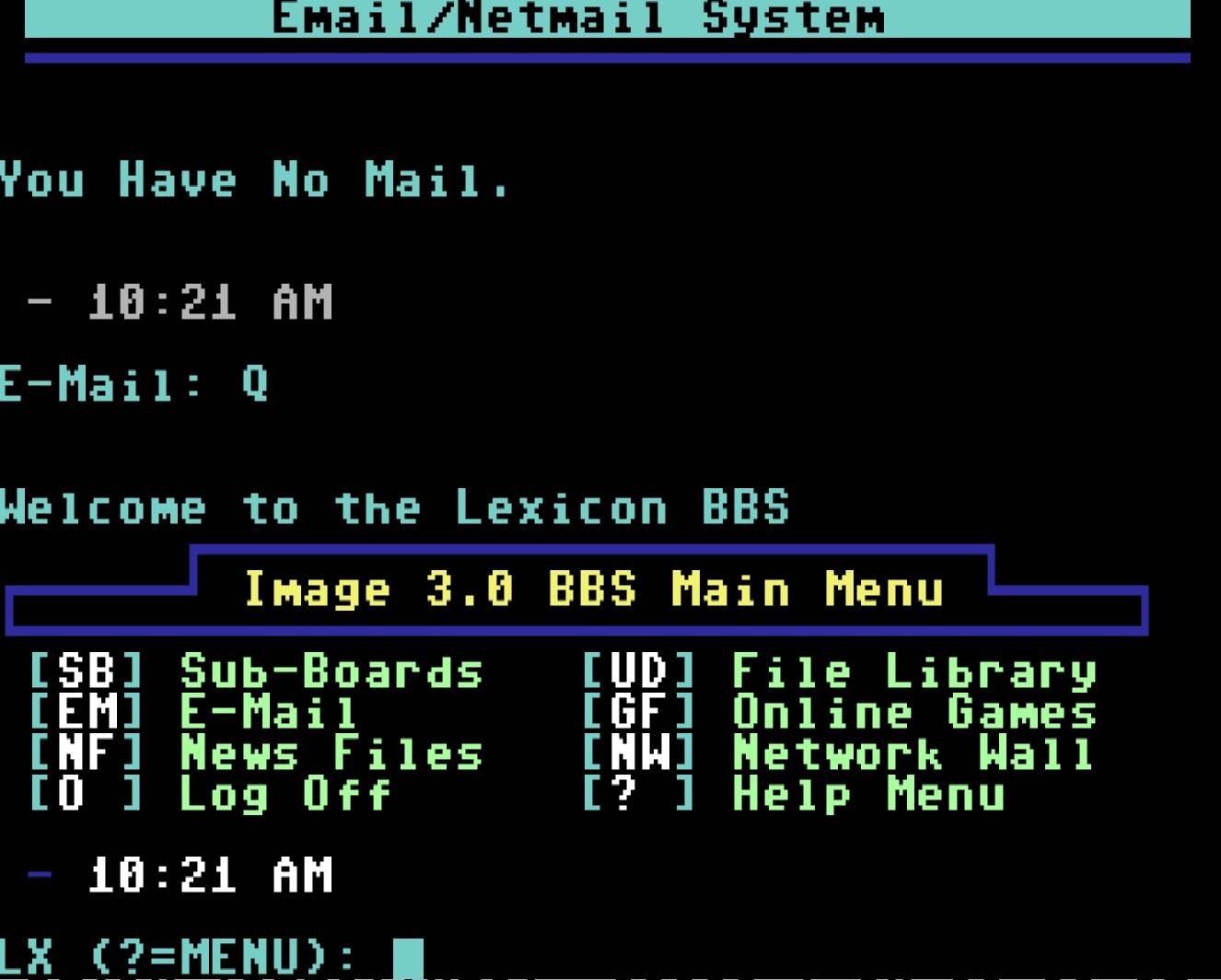
So here is hopefully a simple question. Once you exit out of something you are doing in the BBS how do get the Main menu to come back at the top of the screen instead of adding on at the bottom of what you were doing so that it looks like a fresh start?
So here is hopefully a simple question. Once you exit out of something you are doing in the BBS how do get the Main menu to come back at the top of the screen instead of adding on at the bottom of what you were doing so that it looks like a fresh start?
Sounds like you want the BBS to issue a Clear Screen command when exiting a sub program going back to the main menu, making appeas at the top. This, if not already done (not sure if it is a setting hidden somewhere) would be some tid bit of code added to the main menu sub I would think.
Taking it a step further, again if this is not already implemented, it would be a great feature that could be toggled on or off either by global system control (ie lightbar), or a setting per user profile so each person can then deside if they want that on or off. 🤔
Commodore 64 BBS -=[ commodore64bbs.com:6464 ]=- ....1st Commodore 64 Ultimate to run Image BBS 3.0!
The Kats Alley BBS -=[ tka.8bitboyz.com:6400 ]=- ....Running Image 3.0 for the C64
8-Bit Boyz BBS -=[ bbs.8bitboyz.com:6502 ]=- ....Running Mystic on Windows
Best Retro Web Resource -=[ www.8bitboyz.com ]=- ....Running a whole lotta PHP, Javascript, SQL and so much more!
So here is hopefully a simple question. Once you exit out of something you are doing in the BBS how do get the Main menu to come back at the top of the screen instead of adding on at the bottom of what you were doing so that it looks like a fresh start?
See screenshot.
Go into WF, load up s.main 40 then hit .i when it asks for a line number hit 1 then when the line comes up just hit {english pound on the commodore)f1 that will do a clear screen and then do it again for s.main 80.. This will clear the screen everytime the Image 3.0 BBS Main menu screen pops up. My opinion on this would be to go into IM and choose macros option A and edit each Macro you have set up and add the same [English Pound]f1 to the beginning, this will clear the screen before the macro is shown then show the macro, then the main menu screen. So in your case from this pic it would be
Welcome To The Lexicon BBS
Main menu
Hope that helps...
Bucko
Wrong Number Family of BBS'
Website: www.wrgnbr.com
Wrong Number ][ BBS - wn2.wrgnbr.com:23 (Mystic BBS)
Wrong Number ]I[ BBS - wn3.wrgnbr.com:6400 (CNet Amiga BBS)
Wrong Number IV BBS - wn4.wrgnbr.com:3000 (Image BBS v3.0)
Wrong Number VI BBS - wn6.wrgnbr.com:6411 (ORIGINAL Wrong Number ][ Retro 1993 BBS)
The Time Warp BBS - (Centipede 128 Dual Line BBS)
twb.wrgnbr.com:6896 - Auto roll down to Line 2 if Line 1 is Busy.
Bucko's Den BBS - bdn.wrgnbr.com:6800 (Excelsior! BBS For the Amiga) 1 of only 3 known Excelsiors!!